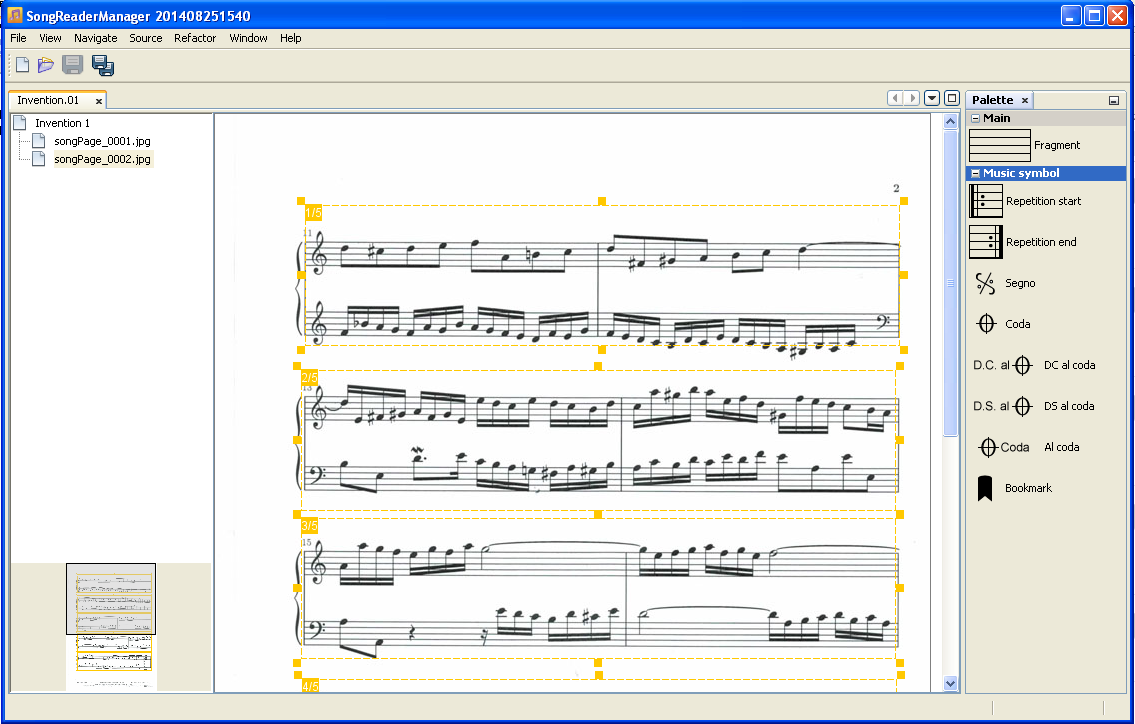
Song Reader Manager is a companion desktop tool for preparing songs before you load them onto
your phone, useful if you'd rather work with a mouse and keyboard than a touchscreen. It's
still in beta; if you run into problems or have a suggestion,
let us know. Note that you need the Pro version of Song Reader to
open .srz files created here on your phone. You can try the manager first and
upgrade later. Requires a Java runtime.
Create a new song
To create a new song, provide a song name, a destination for the .srz file, and
the image(s) that make up the song.

Edit a song
Open any existing .srz file to see a list of pages on the left, the current page
in the middle, and a toolbar of available components on the right. Start by adding fragments
(each fragment can carry a musical symbol) and drag-and-drop to place it on the sheet.